📋 Quick Reference
Monthly sales tax submission to Municipality of Anchorage Treasury Division
Tax Rate
5%
Due Date
10th of Month
Drop-off
632 W. 6th Ave, Ste 330
Stores
Downtown • Intl • 36th
📦 Materials Needed (Click to Enlarge)
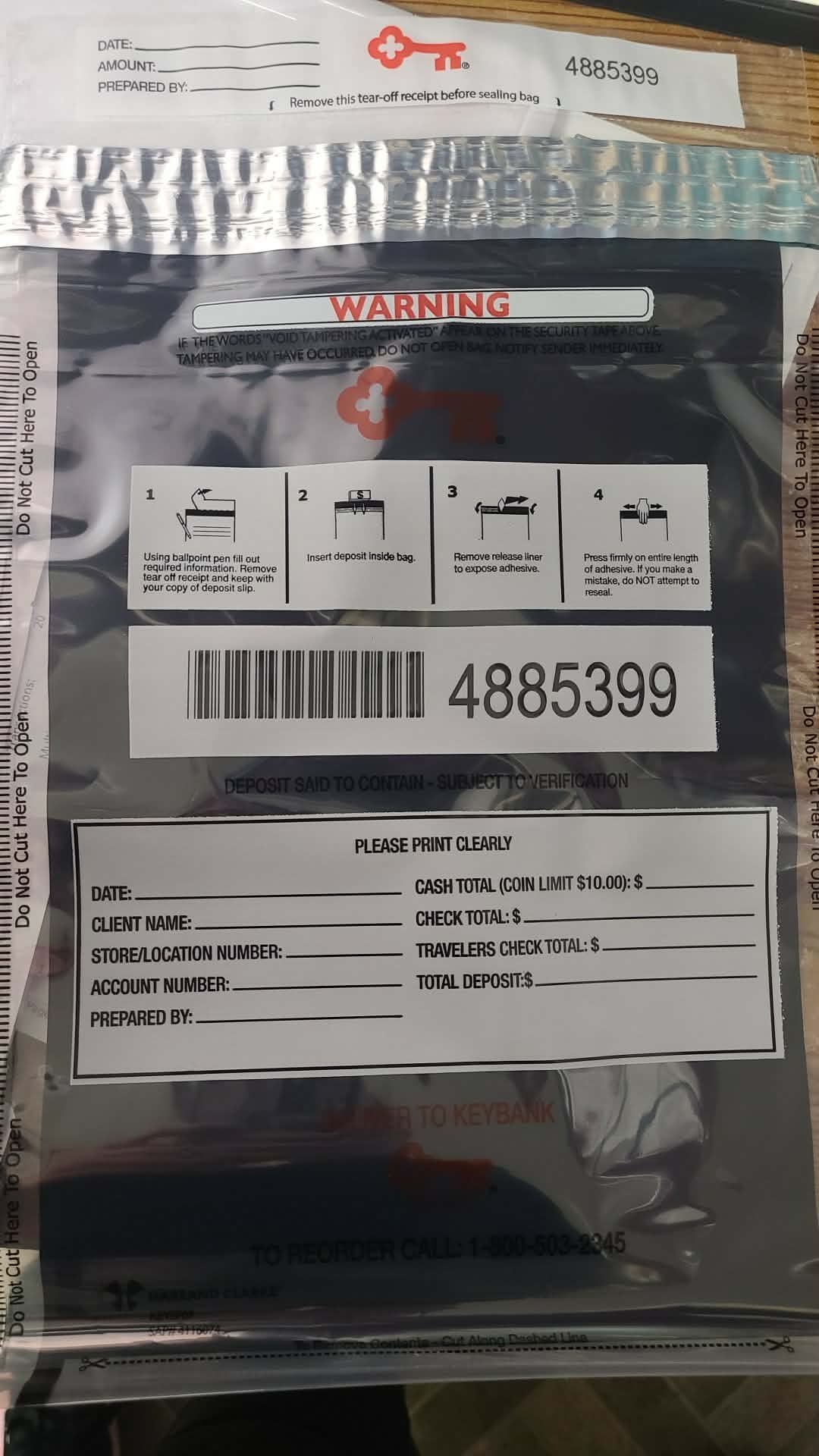
1. KeyBank Deposit Bag
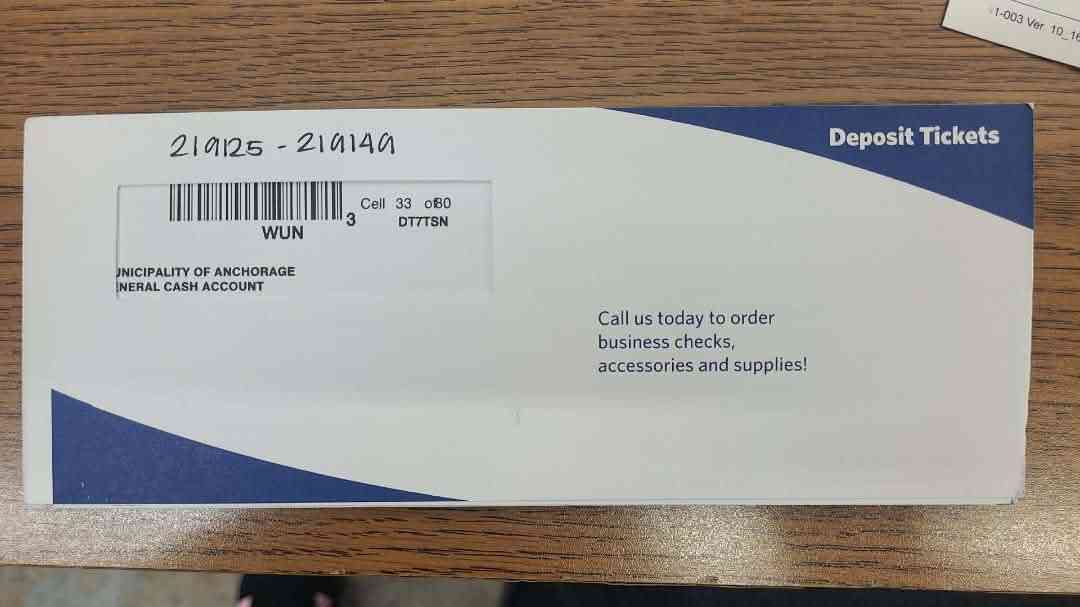
2. Deposit Ticket Booklet
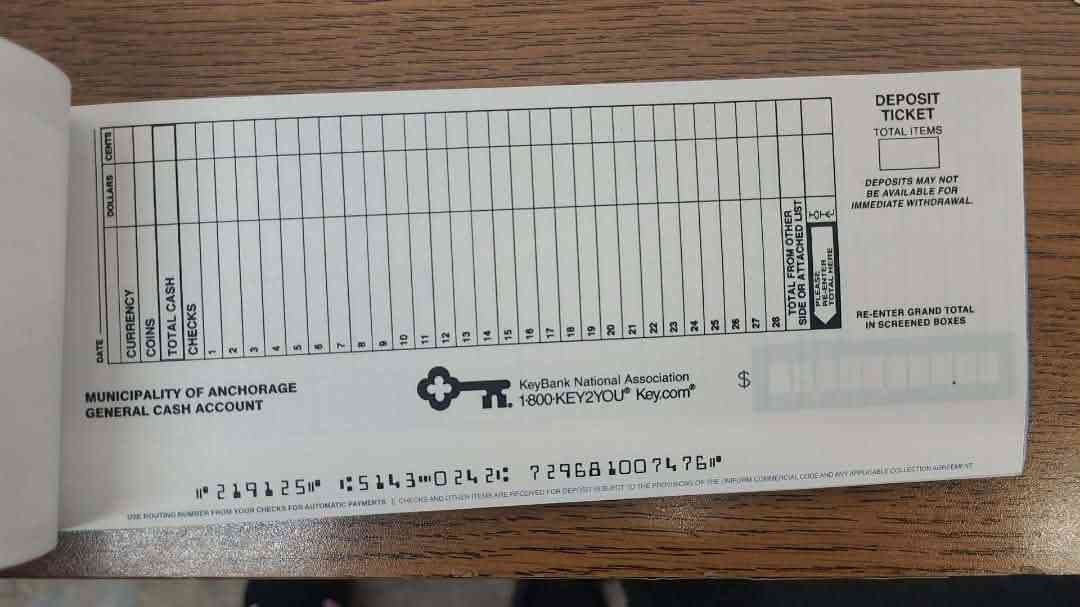
3. Deposit Ticket
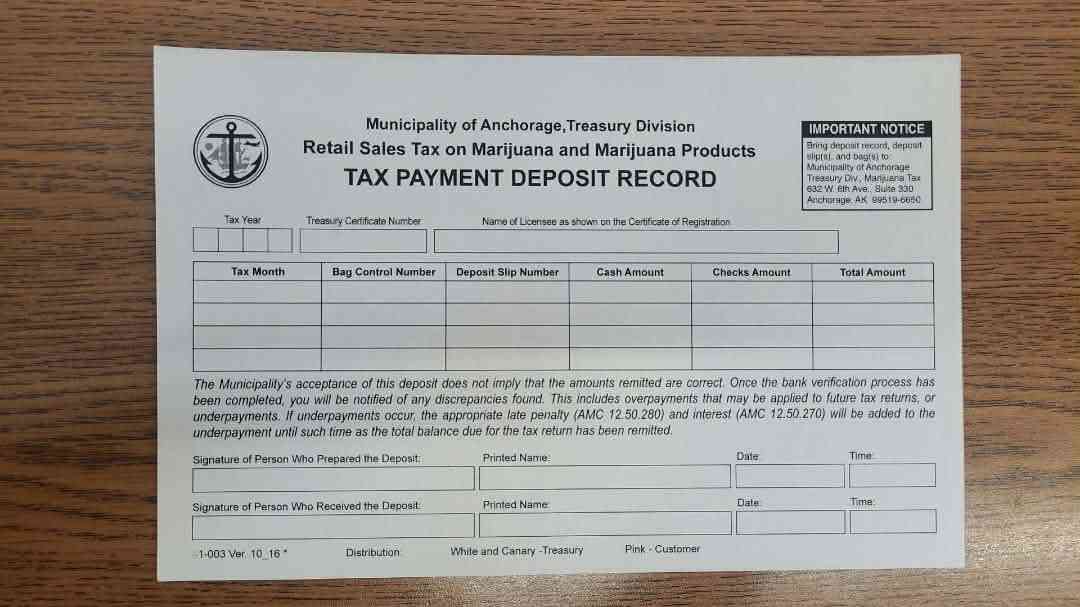
4. Tax Deposit Record Form
1A
Pull Metrc Sales Report
- Go to metrc.com and login
- Navigate to Reports → Monthly Sales
- Set START date to 1st of filing month (e.g., 03/01/2026)
- Set END date to last day of filing month (e.g., 03/31/2026)
CRITICAL: You MUST check the "Include Finalized and Completed Sales" checkbox! Without this, your report will be incomplete and your tax submission will be WRONG.
☑️ Required Checkbox
☑️ Include Finalized and Completed Sales
This checkbox appears in the Monthly Sales report options
- Select PDF format
- Click Generate Report
- Print 2 copies of the report
The Metrc report will show sales broken down by category (Bud/Flower, Immature Bud, Concentrates, etc.) — you'll need these numbers for the Tax Return
1B
Complete MOA Monthly Tax Return
- Download the fillable tax return form:
- Fill out all highlighted portions of the form:
CHECK THE BOX! At the top of the form, check "METRC Report Attached" — the return is INCOMPLETE without this!
📝 MOA Form Lines (from Metrc Report)
| MOA Line | Category | Metrc Source |
|---|---|---|
| Line 1 | Marijuana flowers (buds) - lbs | Bud/Flower + Immature Bud (COMBINE) |
| Line 2 | Marijuana seeds - packs | Seeds (usually $0) |
| Line 3 | Clones/cuttings - lbs | Immature plants <8" |
| Line 4 | Other plant parts - lbs | Trim, shake, etc. |
| Line 5 | Pre-rolls - lbs | Pre-rolls from Metrc |
| Line 6 | Edibles - each | Oral admin/ingestion |
| Line 7 | Extracts for inhalation - lbs | Concentrates |
| Line 8 | Topicals - each | Applied to skin |
| Line 9 | Miscellaneous - lbs | Other products |
| Line 10 | TOTAL (auto-sums Lines 1-9) | |
| Line 11 | TAX @ 5% (Line 10 × 0.05) | |
Line 1 combines TWO categories: Add Bud/Flower + Immature Bud from Metrc into a single number
- Enter Quantity Sold, Weight Sold (lbs), and Retail Sales ($) for each line
- The form auto-calculates Line 10 (total) and Line 11 (tax @ 5%)
- Verify the total matches your expected amount
- Print 2 copies of the completed Tax Return
- Attach the Metrc report to one copy of the Tax Return
ATTACH METRC REPORT! Staple or clip the Metrc sales report to the Tax Return. The form states: "TAX RETURN IS INCOMPLETE WITHOUT METRC REPORT ATTACHED"
2
Prepare the Deposit Bag
- Get a KeyBank security deposit bag
- Fill out ONLY these fields on the bag:
- • DATE — Current date
- • CLIENT NAME — Your store's account number (e.g., 22713)
- • CASH TOTAL — Amount of cash being deposited
- • TOTAL DEPOSIT — Same as cash total
Do NOT fill out every field on the bag — only Date, Client Name, Cash Total, and Total Deposit
Click to enlarge — KeyBank Deposit Bag
3
Fill Out the Deposit Ticket
- Use the Municipality of Anchorage deposit ticket booklet
- Fill out the ticket completely:
- • DATE
- • CURRENCY amount (bills)
- • COINS amount (if any — limit $10.00)
- • TOTAL CASH
- • Enter the grand total in the screened boxes on the right
- Rip out both the WHITE slip and YELLOW slip
WHITE slip → Goes IN the deposit bag, in front of the cash
YELLOW slip → Kept with your paperwork to turn in
YELLOW slip → Kept with your paperwork to turn in
Click to enlarge — Deposit Ticket
4
Complete the Tax Payment Deposit Record
- Fill out the MOA Tax Payment Deposit Record form COMPLETELY:
- • Tax Year
- • Treasury Certificate Number
- • Name of Licensee (as shown on Certificate of Registration)
- • Tax Month
- • Bag Control Number (from the deposit bag barcode)
- • Deposit Slip Number (from the deposit ticket)
- • Cash Amount
- • Checks Amount (if applicable)
- • Total Amount
DO NOT sign or date the form yet! MOA requires you to sign and date IN PERSON at the time of submission.
Fill out all other fields completely — every field except signature/date. Incomplete forms will be rejected.
Click to enlarge — Tax Payment Deposit Record
5
Assemble the Deposit Package
- Place the WHITE deposit ticket slip in front of the cash
- Insert cash and white slip into the deposit bag
- Remove the tear-off receipt from the top of the bag — keep this
- Seal the bag by removing the adhesive liner and pressing firmly
Once sealed, the bag CANNOT be reopened. If you make a mistake, use a new bag and destroy the old one.
6
Deliver to Municipality of Anchorage
- Bring ALL of the following to the drop-off location:
- ✓ Sealed deposit bag with cash and white slip
- ✓ Completed Tax Payment Deposit Record form
- ✓ Yellow deposit ticket slip
At the counter: Sign and date the Tax Payment Deposit Record form IN PERSON when you submit
📍 DROP-OFF LOCATION
Municipality of Anchorage
Treasury Div., Marijuana Tax
632 W. 6th Ave, Suite 330
Anchorage, AK 99519-6650
Delivery must be made by the 10th of the month to avoid late penalties (AMC 12.50.280) and interest (AMC 12.50.270)
7
Record Keeping
- Keep copies of:
- • Tear-off receipt from deposit bag
- • Yellow deposit ticket slip
- • Copy of Tax Payment Deposit Record
- • Dutchie sales report for the month
- File in the store's MOA Sales Tax folder
- Log the submission in CannaOps